this post was submitted on 22 Feb 2024
0 points (NaN% liked)
Selfhosted
60210 readers
1041 users here now
A place to share alternatives to popular online services that can be self-hosted without giving up privacy or locking you into a service you don't control.
Rules:
-
Be civil.
-
No spam.
-
Posts are to be related to self-hosting.
-
Don't duplicate the full text of your blog or readme if you're providing a link.
-
Submission headline should match the article title.
-
No trolling.
-
Promotion posts require active participation, with an account that is at least 30 days old. F/LOSS without a paywall has exceptions, with requirements. See the rules link for details.
Resources:
- selfh.st Newsletter and index of selfhosted software and apps
- awesome-selfhosted software
- awesome-sysadmin resources
- Self-Hosted Podcast from Jupiter Broadcasting
Any issues on the community? Report it using the report flag.
Questions? DM the mods!
founded 3 years ago
MODERATORS
you are viewing a single comment's thread
view the rest of the comments
view the rest of the comments
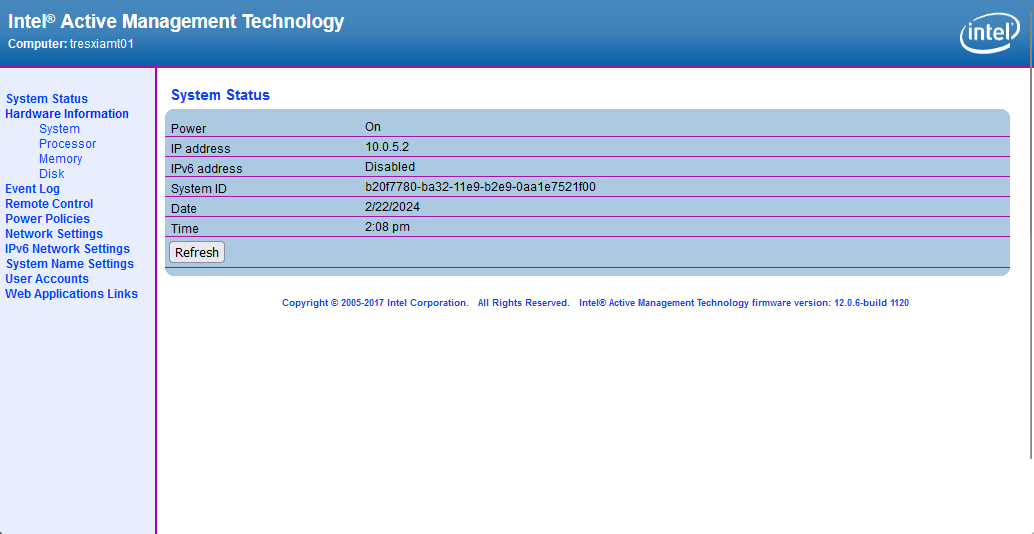
Ok, I grabbed a few screen shots for you as well. Here is a site that will link you to MEBx setup that enables AMT: http://h10032.www1.hp.com/ctg/Manual/c03883429
When power on your ProDesk G3, you can access the MEBx setup by pressing Ctrl+P or they also say F6 or Escape will get you there. Intel AMT runs on a different IP address than what your OS gets. You can assign DHCP or a static IP address and setup your admin password. You can then access the portal from http://ipaddress:16992/ There should be a method of access what would show on the screen through a KVM like access but I use MeshCentral for that so I couldn't tell you how to do it without.
Hopefully, that gives you a start. Feel free to reach back out if you have any questions. Thank you!