this post was submitted on 13 Mar 2026
1426 points (98.9% liked)
Selfhosted
62187 readers
304 users here now
A place to share alternatives to popular online services that can be self-hosted without giving up privacy or locking you into a service you don't control.
Rules:
-
Be civil.
-
No spam.
-
Posts are to be related to self-hosting.
-
Don't duplicate the full text of your blog or readme if you're providing a link.
-
Submission headline should match the article title.
-
No trolling.
-
Promotion posts require active participation, with an account that is at least 30 days old. F/LOSS without a paywall has exceptions, with requirements. See the rules link for details. Tags [CBH] or [AIP] are required, see the links in Rule 8 for details.
-
AI-related discussions and AI-involved promotional posts have additional requirements for tagging, as noted in Rule 7 and the AI & Promotional Post Expanded Rules post, and find example disclosures here.
Resources:
- selfh.st Newsletter and index of selfhosted software and apps
- awesome-selfhosted software
- awesome-sysadmin resources
- Self-Hosted Podcast from Jupiter Broadcasting
Any issues on the community? Report it using the report flag.
Questions? DM the mods!
founded 3 years ago
MODERATORS
you are viewing a single comment's thread
view the rest of the comments
view the rest of the comments
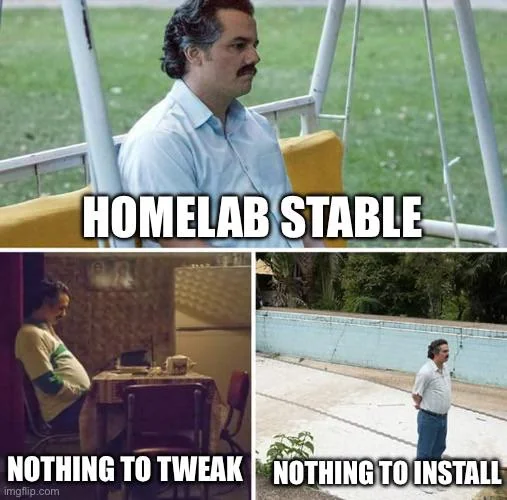
Have you tried introducing unnecessary complexity?
If you know how your setup works, then that's a great time for another project that breaks everything.
Saturday morning: "Incus and podman seem interesting. I bet I could swap everything over while the family is out this afternoon"
Sunday evening: "Dad, when will the lights work again?"
As soon as selinux decides I have permission.
The old lighting wasn't that great anyway. If I were to just put lighting on a DMX512-controlled network, then all of it could be synchronized to whole-house audio...
Don't forget to integrate it into Home Assistant so you can alert the ISS when the mail man is on the porch.
Infrastructure diagram? No! In this homelab we refer to the infrastructure hyperdodecahedron.
It seems like a good time to learn graphviz's dot format for the network layout diagrams, with automated layout.
https://mamchenkov.net/wordpress/2015/08/20/graphviz-dot-erds-network-diagrams/
TIL. Thank you!
Sure. What that guy is using is actually not the most-interesting diagram style, IMHO, for automatic layout of network maps, if you want large-scale stuff, which is where the automatic layout gets more interesting. I have some scripts floating around somewhere that will generate very large network maps
run a bunch of traceroutes, geolocate IPs, dump the results into an sqlite database, and then generate an automatically laid-out Internet network map. I don't want to go to the trouble of anonymizing the addresses and locations right now, but if you have a graphviz graph and want to try playing with it, I used:
goes looking
Ugh, it's Python 2, a decade-and-a-half old, and never got ported to Python 3. Lemme gin up an example for the non-hierarchical graphviz stuff:
graph.dot:
Processed with:
Generates something like this:
That'll take a ton of graphviz edges and nicely lay them out while trying to avoid crossing edges and stuff, in a non-hierarchical map. Get more complicated maps that it can't use direct lines on, it'll use splines to curve lines around nodes. You can create massive network maps like this. Note that I was last looking at graphviz's automated layout stuff about 15 years ago, so it's possible that they have better layout algorithms now, but this can deal with enormous numbers of nodes and will do reasonable things with them.
I just grabbed his example because it was the first graphviz network map example that came up on a Web search.
Haha too right mate
I can help with that. It's a skill I have. LOL
This is just as true in my non-computer hobbies that involve physical systems instead of code and configs!
If I had to just barely meet the requirements using as little budget as possible while making it easy for other people to work on, that would be called "work." My brain needs to indulge in some over-engineering and "I need to see it for myself" kind of design decisions.