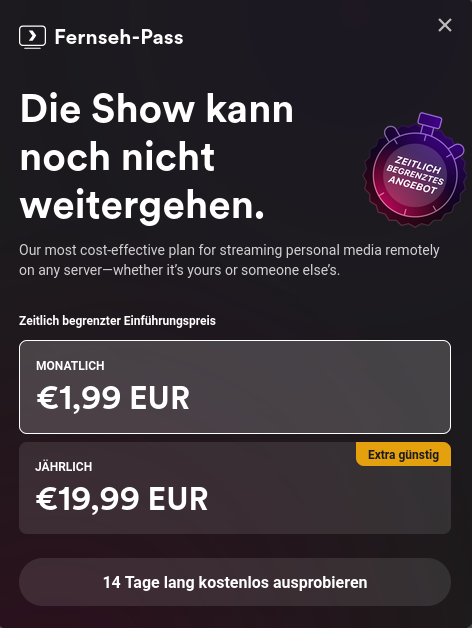
I tried testing a movie from my home server in plex through firefox and repeatedly got this message, even after reloading.
I knew that they had paywalled the apps on mobile and streaming from outside the network but now they have also blocked watching your own movies through your own hardware.
I do get the point that making software should be able to sustain people but I dont see the move of plex as a fair thing to do. Yes, they have made great software but taking your home server hostage feels like the wrong move.
Even a pop up that says "we need you to donate please" would have been fine. make it pop up before every movie, play donation ads before any movie but straight up disabling the app is kinda cruel.
Anyway, i have switched to jellyfin and it is insanely good. please give it a try. you can run it alongside plex with not issues (at least i had none) and compare the two.
In any case, good luck. Let me know if you need help.
I get you and I know that there can be security issues (especially in Jellyfin) that might give you access. This is the reason I only mount the media and config folders, and nothing else into the docker container. The media folders are mounted as read only and don't contain sensitive information. For the config folder I created a separate user. Plus I block non-German IP addresses which already blocks quite some bots. If your friends have fixed IP addresses you could also just whitelist them and block everything else.
You could also probably sniff the network and define more strict rules on 'allowed' requests in fail2ban but this is bridle because requests might change with different versions.
They actually do a small login f2b effort right in JF, but it appears to be quite limited.
The container is more secure by default, and if people set up their docker well it reduces the dangers substantially. A lot of people don't go docker though.
Yeah the link I posted does everything via docker and explains what should be mounted and how.
That's awesome and thank you for sharing that